
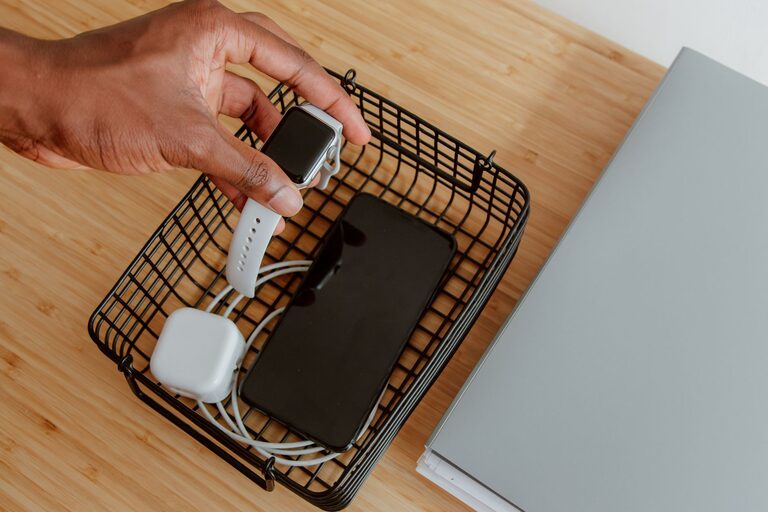
How to Set Up a Convenient Charging Station for Your Devices
Creating a dedicated charging station for your devices is a smart way to keep your gadgets powered and organized. Whether you have smartphones, tablets, smartwatches, or other rechargeable electronics, a well-planned charging area can reduce clutter and make charging easier for everyone. This guide will walk you through the steps to set up a practical and tidy charging station.
Why Set Up a Charging Station?
Before diving into the setup process, it’s worth understanding the benefits of having a charging station:
– Organization: Keeps devices and cables neat and in one place.
– Convenience: Makes charging devices simple and accessible.
– Safety: Reduces the risk of tripping over cables or damaging devices.
– Efficiency: Helps you monitor charging and avoid leaving devices plugged in unnecessarily.
Step 1: Choose the Ideal Location
Selecting the right spot is the first step to a successful charging station.
Consider Accessibility
– Pick a location that is easy to reach for everyone who will use it.
– Common areas like the kitchen counter, living room console, or a desk are popular choices.
Check Available Power Outlets
– Ensure the spot has enough outlets to support multiple chargers.
– If not, consider using a surge protector power strip with multiple sockets.
Safety and Ventilation
– Avoid locations near water sources to prevent electrical hazards.
– Choose a place with good airflow to prevent chargers and devices from overheating.
Step 2: Gather Your Supplies
Having the right tools and accessories will make the setup smoother.
Essential Items
– Multi-port USB charger: Supports charging several devices simultaneously.
– Charging cables: USB-C, Lightning, Micro-USB, depending on your devices.
– Cable organizers: Clips, sleeves, or boxes to manage cords.
– Device stands or holders: Keeps devices upright and prevents damage.
– Power strip with surge protection: Protects devices from voltage spikes.
Optional Extras
– Label makers for cable identification.
– Wireless chargers if your devices support Qi charging.
– Small storage boxes for adapters or extra cables.
Step 3: Organize Your Cables
Managing cables effectively keeps the station tidy and user-friendly.
Tips for Cable Management
– Use cable clips or ties to bundle excess lengths.
– Label cables to quickly identify which device they belong to.
– Consider using a charging station box with built-in cable management slots.
– Secure cables behind furniture to keep them out of sight.
Step 4: Arrange the Devices
How devices are placed can impact both aesthetics and functionality.
Using Device Stands
– Use stands or docks to keep devices upright and visible.
– This positioning helps you easily check battery levels.
Group Similar Devices
– Group devices by type or user to simplify charging routines.
– For example, place all smartphones on one side and tablets on another.
Step 5: Keep It Clean and Simple
Maintaining your charging station is as important as setting it up.
Regular Maintenance
– Wipe down surfaces and clean dust from cables and chargers.
– Check for worn cables and replace them promptly.
– Avoid overloading power strips to prevent electrical issues.
Encourage Consistent Use
– Inform household members or coworkers to plug and unplug their devices properly.
– Consider setting rules like unplugging devices once fully charged.
Bonus Tips for an Enhanced Charging Station
– Add a small light: A soft LED light or lamp can help during nighttime charging.
– Incorporate storage: Drawers or small baskets can hold manuals, adapters, and accessories.
– Use color coding: Match cable colors with device cases or labels for quick identification.
– Go wireless: Add wireless charging pads to reduce cable clutter for compatible devices.
Conclusion
Setting up a charging station is a simple project with lasting benefits. By selecting a good location, organizing cables, and arranging devices thoughtfully, you create a neat, efficient space to keep your devices powered up. This setup reduces daily frustration and protects your electronics, making life a little easier for everyone in your home or office.
Start your charging station today and enjoy the convenience of a clutter-free and well-organized charging experience.
